きっかけ
Obsidian のノートに画像を埋め込むとき、その画像のすぐ下に説明文を入れたいことが多々ある。コミュニティプラグインを探してみたところ、 Image Captions を使えば、画像にキャプションを付けることができることが分かった。
しかし、Image Captions を使ったノートを Quartz5 で WEB 公開しても、同じようには表示されない。そこで、Obsidian 側の記法を変えずに Quartz5 でも表示できるよう、Quartz 用プラグイン quartz-image-captions を作ってみることにした。
Image Captions とは?
Image Captions とは、Obsidian のノートに貼り付けた画像にキャプションを付ける機能を持つコミュニティプラグインである。
Obsidian 標準の画像の埋め込みは、下記のように記述する。画像をノートへドラッグ&ドロップした場合も、この記法で挿入される。
![[image.jpg]] --> この場合は、ノートの幅、または画像の幅で表示される。
![[image.jpg|200]] --> この場合は、200px幅で画像が表示される。
Image Captions をインストールすると、標準の画像の埋め込みを拡張し、キャプションと画像配置(左寄せ、センター、右寄せ)を指定することができるようになる。下記のように記述する。
![[image.jpg|これはキャプションです]] --> キャプションを付けることができる。
![[image.jpg|これはキャプションです|right]] --> さらに画像の配置を指定できる。
![[image.jpg|これはキャプションです|right|350]] --> 画像幅は標準同様に指定できる。実際の画像表示の例を示す。下記の例では、![[Lotus.jpg|牛ヶ淵の蓮の花]] と記述している。
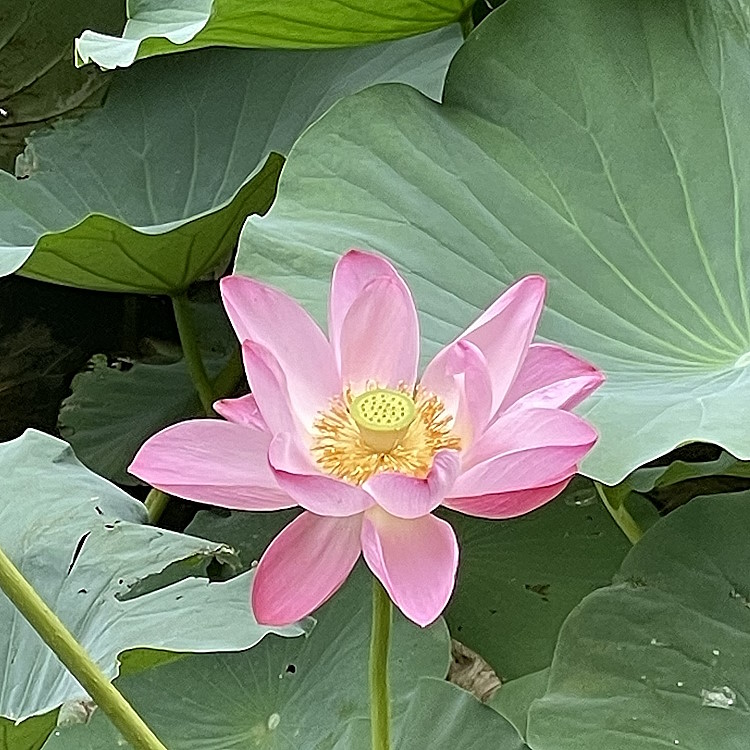
下記のように、センター配置で少し小さめに表示することもできる。![[Lotus.jpg|牛ヶ淵の蓮の花(センター表示、幅:360px)|center|360]] と記述している。
画像幅を調整すれば、2列横並びもできる。
![[Lotus.jpg|牛ヶ淵の蓮の花(左寄せ、幅:288px)|left|288]]![[Lotus.jpg|牛ヶ淵の蓮の花(右寄せ、幅:288px)|right|288]] と記述している。
画像幅を調整すれば、3列横並びも大丈夫だ。
Info
上記のような2段・3段の画像のみの段組みは、Obsidian コミュニティプラグイン “Image Grid” でもっときれいに実現できるのだが、キャプションは付けられない。
このノートを執筆しているときは、Image Grid の存在を知らなかったので、Image Captions を quartz5 へ移植で何とかなる、と思っていた。
しかしモバイル表示は思うようにならなかったため、新たに “Image Grid Captions”というObsidian プラグインを開発し、それに対応する “quartz-image-grid-capthons” も作った。これらについての仕様・解説は、今後ノートにする。リポジトリは下記を参照。
上記のように、Image Captions をインストールすることにより、①キャプションを付けることができ、②画像配置をコントロールする、といったことができる。画像幅は Obsidian 標準と同様に指定できる。
無聊写記での使用例
Quartz5 に実装する
しかし、Quartz5 には、Image Captions に対応するプラグインがないので WEB 公開してもキャプションは表示されない。そこで、Obsidian 側の Markdown は変更せずに Quartz 側でも同じように表示される互換プラグインをつくる。
図式として、下記のようなイメージである。
Image Captions
元記事へのリンク
作成した quartz-image-captions は、GitHub で公開している。
hyodoarch/quartz-image-captions: Image Captions compatibility plugin for Quartz 5
設定方法
Obsidian 側 ToDo
- Image Captions をインストール
- 有効化
- Custom regex
^([^|]+)
- 必要に応じて、設定 ≫ 外観 ≫ CSS スニペット で表示調整を行う。
Quartz 側 ToDo
1. quartz-image-captions を追加
コマンドラインから、Quartz プロジェクトのルートディレクトリで、次を実行する。
npx quartz plugin add github:hyodoarch/quartz-image-captionsこれで quartz-image-captions が Quartz のプラグインとして追加される。プラグインは、Obsidian で書いた次のような記法を Quartz 側でも解釈し、画像とキャプションを <figure> / <figcaption> として出力する。
2.Quartz のプラグイン順序を設定する
Obsidian の画像埋め込み記法は、まず obsidian-flavored-markdown で解釈する必要がある。そのため、quartz-image-captions は obsidian-flavored-markdown の後に実行する。
一方、github-flavored-markdown よりは前に置く構成にしている。現在の推奨順序は次の通り。
30  obsidian-flavored-markdown
35  quartz-image-captions
40  github-flavored-markdown
設定ファイルでは、概ね次のようにする。
まず Quartz プロジェクトのルートディレクトリにある quartz.config.yaml を開く
plugins の項で下記のように設定する。なお、obsidian-flavored-markdown と github-flavored-markdown の source は、自分の環境に合わせる。
plugins:
  - source: "@quartz-community/obsidian-flavored-markdown"
    enabled: true
    order: 30

  - source: github:hyodoarch/quartz-image-captions
    enabled: true
    order: 35
    options:
      captionRegex: "^([^|]+)"

  - source: "@quartz-community/github-flavored-markdown"
    enabled: true
    order: 40
3. サイト固有の見た目は custom.scss で調整
サイト固有の見た目は、quartz/styles/custom.scss で行う。
以下は「無聊写記」で使用している設定例である。$main-content-measure などサイト固有の変数を使用しているため、そのままコピーするのではなく、各サイトのレイアウトに合わせて調整する必要がある。
この SCSS の意図は、主に下記を意図している。
- 小さい画像では
figureも画像幅に合わせる left/rightは本文幅を基準に配置する- 複数画像の横並びを許可する
- 後続本文は画像横へ回り込ませない
- キャプションは14px・ゴシック・左揃え
// ---------------------------------------------------------------------------
// Image Captions
// ---------------------------------------------------------------------------

// figure の基本設定
figure.image-captions-figure {
  width: fit-content;
  max-width: min(100%, $main-content-measure);

  margin-top: 0;
  margin-bottom: $article-p-margin-bottom;
  padding: 0;

  background: transparent;
  border-radius: 0;
}

// 通常配置・center は本文幅の中央に置く
figure.image-captions-figure:not(.image-captions-left):not(.image-captions-right) {
  margin-left: auto;
  margin-right: auto;
}

// left:本文の左端を基準に配置
figure.image-captions-left {
  float: left;
  margin-left: max(0px, calc((100% - #{$main-content-measure}) / 2));
  margin-right: 1em;
}

// right:本文の右端を基準に配置
figure.image-captions-right {
  float: right;
  margin-right: max(0px, calc((100% - #{$main-content-measure}) / 2));
  margin-left: 1em;
}

// 画像
figure.image-captions-figure > img {
  display: block;
  max-width: 100%;
  height: auto;
  margin: 0;
  padding: 0;
}

// キャプション
figure.image-captions-figure > figcaption.image-captions-caption {
  margin: 0;
  padding: 0;

  background: transparent;

  font-size: 14px;
  line-height: 1.6;
  font-family:
    "Yu Gothic",
    "YuGothic",
    "Hiragino Kaku Gothic ProN",
    "Meiryo",
    sans-serif;

  text-align: left;
}

// キャプション内のリンクも同じフォントにする
figure.image-captions-figure > figcaption.image-captions-caption a {
  font-family: inherit;
  font-size: inherit;
  line-height: inherit;
}

// 画像同士は横並びを許可するが、後続本文は回り込ませない
figure.image-captions-left + :not(figure.image-captions-figure),
figure.image-captions-right + :not(figure.image-captions-figure) {
  clear: both;
}

// left画像が連続するとき、本文位置補正は最初の1枚だけ
figure.image-captions-left + figure.image-captions-left {
  margin-left: 0;
}

// right画像が連続するとき、本文位置補正は最初の1枚だけ
figure.image-captions-right + figure.image-captions-right {
  margin-right: 0;
}
Image Captions の対応表
| 項目 | Obsidian | Quartz5 |
|---|---|---|
| キャプション処理 | Image Captions | quartz-image-captions |
| 基本記法 | ![[image.jpg|caption]] | 同じ |
| 幅指定 | |350 | 同じ |
| 配置 | left / center / right | 同じ |
| キャプション抽出 | Custom regex ^([^|]+) | captionRegex: "^([^|]+)" |
| 外部リンク | Markdownリンク | 同じ |
| 内部リンク | <<Note>> | 同じ |
| 複数画像 | 空行なしで連続記述 | 同じ |
| 見た目の調整 | CSS スニペット | quartz/styles/custom.scss |
詳細な仕様について
quartz-image-captions の制作経緯や設計方針、Quartz の処理順、複数画像やキャプション内リンクへの対応、CSS との役割分担など、詳しい内容は GitHub の設計ノートにまとめている。